2026-11-03
Learn how an integrated smart home system can bring lighting, motorized curtains, air conditioning, and compatible security devices together through one app or centralized control interface.
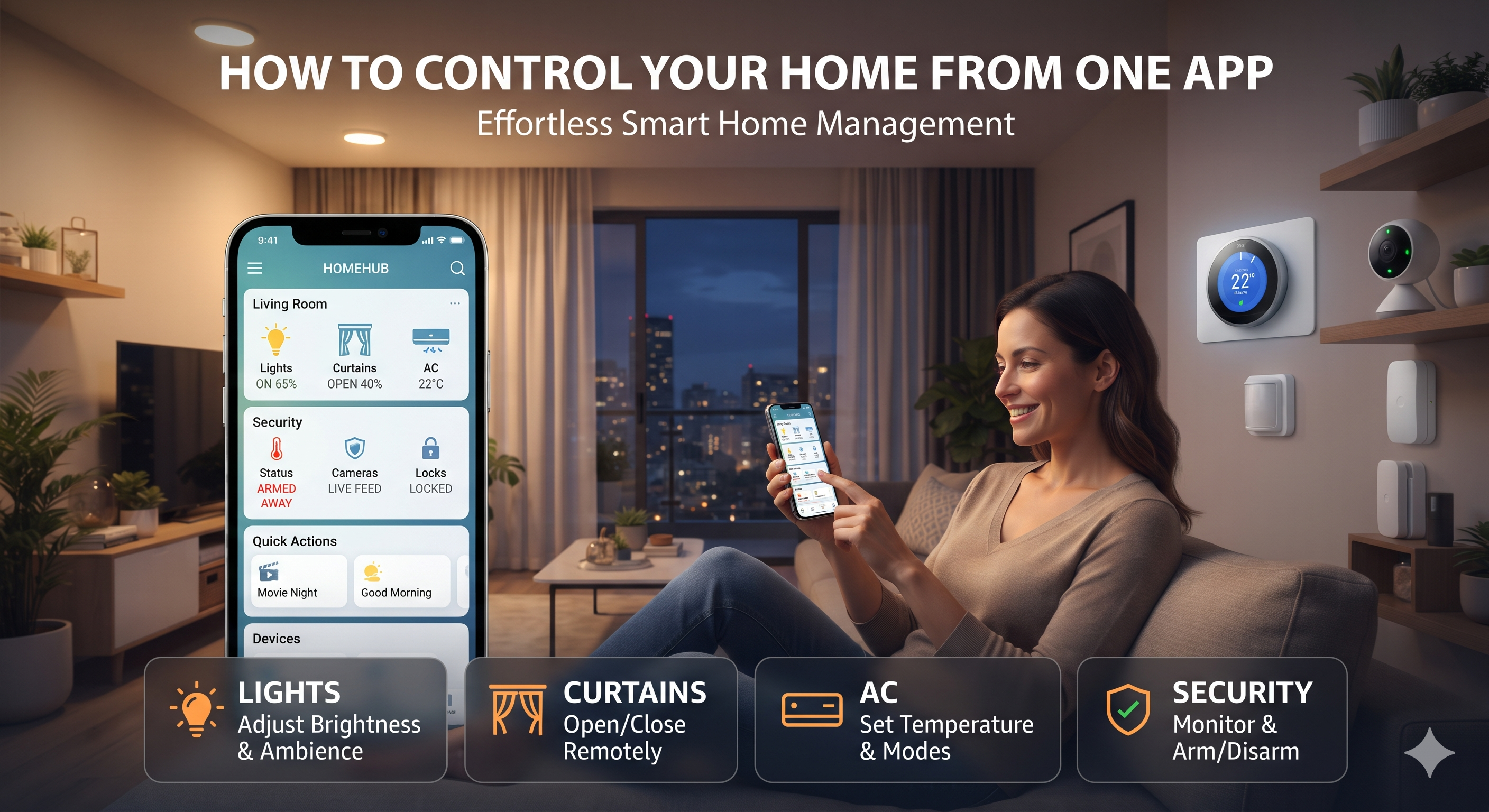
Imagine arriving home after a long day in Dubai. With a single tap on your smartphone, your selected lights turn on, motorized curtains close, the compatible AC system adjusts, and you can check your security cameras without opening multiple applications.
This is the convenience of integrated smart home automation. Instead of managing every connected device separately, a compatible automation system brings different home functions together through a centralized application, control panel, or supported interface.
For homeowners in Dubai and across the UAE, this can make everyday living more convenient while providing a clearer way to manage lighting, curtains, climate control, and security.
In this guide, Marvis Technology LLC explains how to control these systems from one app, what equipment is required, and what to consider before planning an integrated smart home.
Centralized smart home control allows multiple compatible devices and systems to be managed through one interface. Instead of switching between separate applications for lighting, curtains, air conditioning, and security, users can access supported functions from a common control platform.
Depending on the selected system, a centralized interface may allow you to:
The important point is compatibility. Not every smart device can automatically connect to every platform. The devices, controllers, communication protocols, and integration interfaces must be suitable for the intended system.
Lighting is one of the most useful starting points for smart home automation. With compatible smart switches, dimmers, lighting controllers, or connected fixtures, you can manage different rooms and lighting zones from a centralized interface.
Imagine returning home in the evening. A single scene can switch on selected living-room lights, adjust compatible dimmers to your preferred brightness, and activate other configured devices.
You can also create separate scenes for reading, dining, entertaining guests, or watching television.
Explore smart lighting automation in the UAE to learn how connected lighting controls can be planned for your property.
Motorized curtains and blinds make it easier to manage natural light and privacy. With compatible motors and controllers, you can operate window coverings through an application or include them in a wider automation scene.
Configure a morning routine that opens selected curtains and gradually activates compatible lighting. You can also include other supported functions to suit your daily schedule.
With compatible equipment, one command can close the curtains, dim selected lights, and prepare your entertainment setup.
Learn more about smart home automation solutions for integrated curtain and lighting control.
Air conditioning is particularly important in the UAE climate. Smart climate control can make it easier to manage compatible AC systems without relying only on traditional wall-mounted controls.
When leaving home, you may activate a configured scene that switches off selected lights, closes designated curtains, and adjusts compatible AC controls according to your preferences.
When you return, another scene can prepare your preferred environment.
Important: AC integration depends on the equipment. Some systems support direct communication, while others may require compatible gateways, thermostats, or interfaces. Confirm support for your exact AC model before installation.
Smart security can add another important layer to centralized home control. Depending on the equipment and integration capabilities, you may be able to access selected surveillance and security functions from your smart home interface.
A configured scene may switch off selected lights, adjust the AC, close designated curtains, and activate supported security functions. The exact actions depend on the security equipment and the automation system.
Explore CCTV installation in Dubai and access control solutions for security requirements.
Security systems should be designed with appropriate permissions, privacy settings, and independent safety functions. Do not assume that integrating a camera into a smart home app replaces a dedicated security system or its required controls.
To manage lights, curtains, AC, and security from one app, the installation typically needs compatible devices and a suitable automation platform or controller.
A simplified system may include:
Some systems communicate through wired protocols, while others use wireless technologies or IP-based integration. A project may use a combination of these methods.
Using separate applications for every device can become inconvenient as your smart home grows. Centralized control can provide a more organized experience when the devices are compatible.
| Feature | Separate Device Apps | Centralized Smart Home App |
|---|---|---|
| Lighting | Managed through its own application | Accessible through the shared interface when integrated |
| Curtains | Controlled separately | Can be included in coordinated scenes |
| Air conditioning | Uses a separate compatible controller or app | Can be managed alongside other supported devices |
| Security | Uses dedicated security applications | Selected monitoring functions may be integrated |
| Automation scenes | May require separate routines | Can coordinate compatible functions through shared scenes |
| Daily operation | Requires switching between applications | Offers a more unified control experience |
A centralized app does not necessarily replace every manufacturer's application. Some advanced settings, device configuration, recording features, or security functions may still require their dedicated interface.
Scenes allow you to coordinate multiple compatible devices using one command. Here are some examples that can be customized for a Dubai home.
These scenes are examples. Their exact behaviour depends on the selected equipment, user permissions, system programming, and installation requirements.
Before investing in centralized home automation, consider the following factors:
Check whether your lights, curtain motors, AC equipment, and security systems can communicate with the proposed controller or platform.
Wired solutions may be suitable for new construction and major renovations, while wireless or retrofit options may work for some existing properties. The right approach depends on the project.
Ask which functions require internet access and which can continue working locally if the connection becomes unavailable.
A stable network is important for many connected devices. Consider Wi-Fi coverage, network capacity, and the placement of access points and controllers.
Use strong account credentials, appropriate user permissions, secure network configurations, and supported software updates. Security and surveillance functions should retain their required independent operation.
Choose a platform that can support the features you may want to add later, subject to controller capacity and compatibility.
Marvis Technology LLC provides smart home, building automation, security, and technology infrastructure solutions for residential and commercial properties in Dubai and across the UAE.
Our automation-related service areas include:
Every project starts with understanding your property, the devices you want to control, and your preferred user experience. The system can then be planned around compatible equipment, appropriate controllers, and practical integration requirements.
Yes, it may be possible when the selected devices and systems support integration with a common smart home platform. Some advanced features may still require their original manufacturer applications.
Some systems require a central controller or hub, while others use distributed controllers, wireless gateways, or cloud-based platforms. The requirements depend on the selected technology and integration design.
Many platforms support remote access through an internet connection and an authenticated application. Availability depends on the system's remote-access features and network configuration.
Yes, supported devices can often be connected to compatible voice assistants. Available commands depend on the platform, device models, account configuration, and integration.
Some locally controlled functions may continue working, while cloud-dependent features and remote access may become unavailable. Ask your provider which functions operate without internet access.
Many existing properties can be upgraded using suitable wired or wireless solutions. The installation approach depends on existing wiring, network coverage, equipment compatibility, and property constraints.
Yes, compatible curtain motors and lighting controls can be combined into scenes or schedules through a suitable automation platform.
Centralized control can also be used in offices and commercial properties. The system design should account for different user permissions, building requirements, security functions, and operational needs.
Managing lighting, curtains, air conditioning, and security through one centralized interface can make everyday home operation more convenient. With suitable integration, you can create personalized scenes, schedule routine actions, and access supported devices without switching between multiple applications.
The key is selecting compatible equipment and designing an automation system around your property and lifestyle.
Want to control your lights, curtains, AC, and security from one app in Dubai? Contact Marvis Technology LLC to discuss your smart home automation requirements.
WhatsApp: Discuss centralized smart home control
Call: +971 54 740 3829
Email: sales@marvistechno.com
Location: Dubai, United Arab Emirates
Need help with smart home automation or security? Our experts are ready to assist you.
Fill out the form and we’ll get back to you.